In order to add a license or storage to an end-user:
- Open the Account which the user is associated with and go into the Billing tab.
- Press the Edit Account, add the wanted amount of licenses under Licenses, the amount of storage limit you wish the account to have under Storage, as well as the License Start and License Expired date.
- Once you have filled in all the relevant information, hit the Save Changes button.
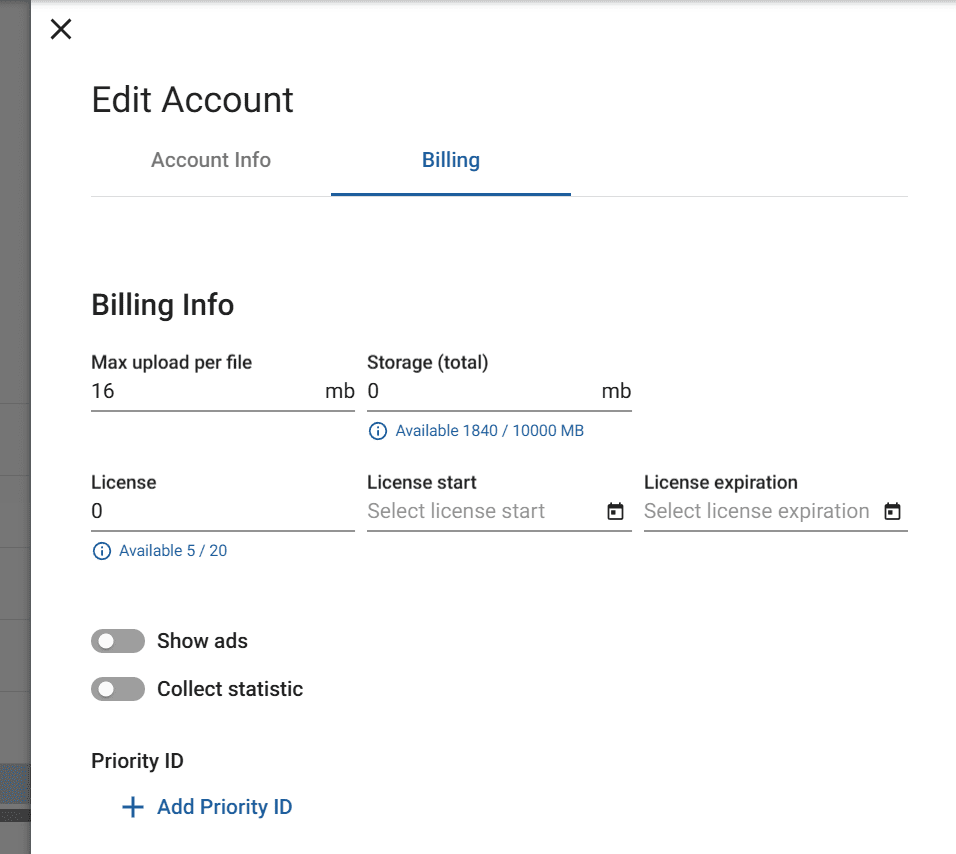
The upload size limit for an account cannot be changed manually. Each license assigned to an account adds 100MB to its maximum file upload size. For example, an account with three licenses can upload individual files of up to 300MB. Accounts with five or more licenses are capped at a maximum file upload size of 500MB. Any file exceeding the account’s upload limit will fail to upload.
Storage is unlimited for all accounts.
If you wish to change the upload limit further or without adding Licenses, please contact your NoviSign Account Manager.