










Sign up for a free evaluation account
Text Download ➞
Title Subtitle Download ➞
Visit us at DSSE in Munich, May 20-21.

Education Digital Signage Solutions

Digital signage for education helps schools, colleges, and universities communicate instantly across one screen or hundreds. NoviSign’s education digital signage platform makes it easy to create, schedule, and manage content remotely—from daily announcements and schedules to emergency alerts and event promotions.

Reach students and staff across all campus locations
Update content in seconds from any device
No printing, no manual posting, no IT expertise required


Watch the video

Education Digital Signage Content You Can Publish

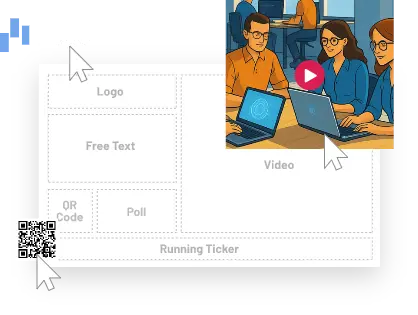
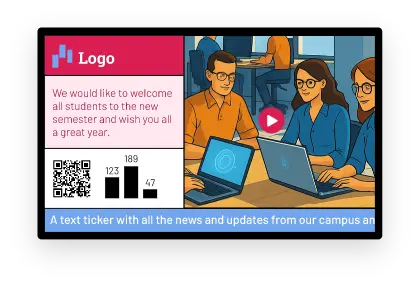
With NoviSign you can make screens that contain school announcements, image slideshows, HD videos, welcome messages and more. Using our online digital signage software and the included templates you can easily create content and upload it to your screens. All changes wirelessly update within minutes!

  • Upcoming Events

    Increase awareness of future events planned at your school, and post announcements about career services such as upcoming job fairs, new career services and open days. Display on lobby screens, hallways, and student centers. Update event details instantly when plans change.

  • Cafeteria Digital Menus

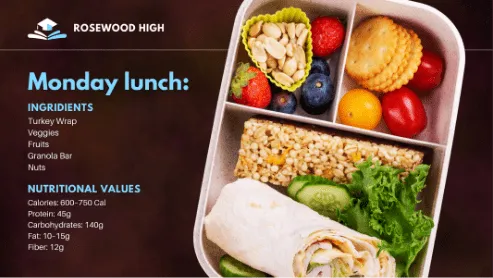
    Digital menus for school cafeterias provide real-time meal updates, nutritional information and daily specials, enhancing convenience and encouraging healthy eating among students. Display in cafeterias, dining halls, and food service areas. Update daily specials and menu items in seconds.

  • Welcome Notices

    Make special guests (alumni, corporate visitors, government representatives and honorary guests) feel welcome by displaying special welcome notices. Display at entrances, reception areas, and lobby screens. Swap welcome messages instantly for each visiting group.

  • Scheduling Changes

    Inform students of changes to class schedules, cancellations and other important scheduling information. Display outside classrooms, in hallways, and on department screens. Push updates the moment schedules change.

  • Global News

    Automatically display news headlines from your favorite news websites using NoviSign’s RSS system. Display in common areas, student lounges, and waiting spaces. Content updates automatically via RSS — no manual work needed.

  • Campus News

    Update students with all the news around campus: activities, classes, competitions and more. Display across hallways, common areas, and campus entrances. Publish new content from any device the moment it happens.

  • Emergency Alerts & Safety Messaging

    Push critical safety alerts instantly across all campus screens during emergencies, lockdowns, or severe weather. Override scheduled content with urgent notifications visible throughout buildings.

  • Wayfinding & Visitor Guidance

    Help visitors, parents, and new students navigate your campus with digital wayfinding displays showing building locations, parking directions, and event venues.

  • Room & Resource Scheduling

    Display real-time room availability and resource booking outside classrooms, conference rooms, labs, and shared spaces. Sync with campus scheduling systems.

  • Capterra Shortlist 2026 2 1
  • badge 2025 best TR2026 Techradar 2
  • Capterra Best Ease of Use 2026 2
  • Software Advice Front Runners 2026 1 1
  • sign5 2x
    SOC 2 Type II Certified

Ratings

  • 4.9
  • 5.0
  • 4.9
  • 5.0

Trusted by 20,000+ businesses

Why our customers love us

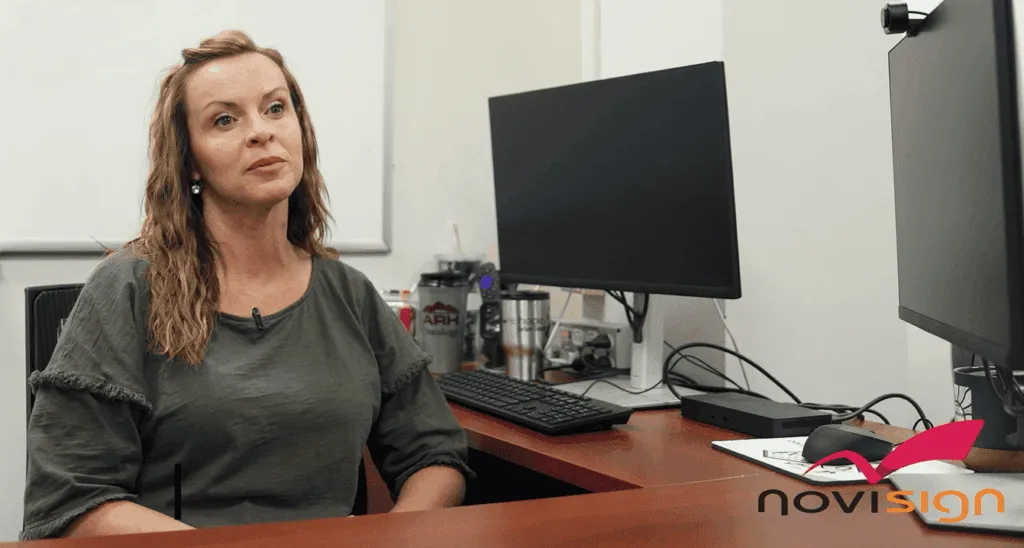
video testimonial preview
University of Florida

“Our previous CMS was Xibo as well as 15 other flavors across campus and we moved away from that because it was just too complicated. That’s what NoviSign was great at. They’re just very simple and a great intuitive UI”

Chad Holder
IT Manager
AHR preview 2 1
Appalachian Regional Healthcare

“The biggest improvement we’ve seen using NoviSign is the awareness we’ve created internally within our workforce.”

LeeAnn Mcintyre
Assistant Vice President, Marketing
blake preview 4 1
Blake's Lotaburger

“We were able to give a tutorial style of advertisement by using the NoviSign Board to show how our cold brew is made. We saw a huge uptick in sales. We sold cold brew for almost $1.5 million!”

Tiffany Bornmann
Marketing Manager
MFM preview 3 2 300x231
MFM Health

“I know with NoviSign that the content is playing at all times and it’s easy to update, upload new content on the fly, from wherever I am.”

Diana Giorlando
Director of Marketing

Control your screens

Digital signage for education gives your team complete control from any browser or mobile device. Update one screen or all screens across multiple buildings instantly. Schedule content by time, location, or user role - no technical expertise required.
The NoviSign Editor (Creative Composer) is very simple to use with a rich set of features:

Media Content

  • Images
  • Videos
  • Slideshows
  • YouTube
  • Shapes
  • Text
  • Label

Live Data & Widgets

  • News RSS
  • Weather
  • Clock
  • URL
  • Ticker

Engagement & Social

  • Engagement & Social
  • Facebook
  • X
  • Instagram

Integrations for Education

  • Google Slides

    Teachers create, NoviSign displays

  • Google Classroom

    Show assignments and announcements

  • Canva

    Design templates, display on screens

  • Microsoft Sharepoint

    Connect to school/ university intranets

Use Cases

  • solution list img 1

    Digital Signage for Colleges

    Higher education institutions use NoviSign for campus-wide communication, wayfinding, emergency alerts, and student engagement.


    • Campus wayfinding kiosks & directory displays
    • Multi-building and multi-campus management
    • Emergency alert systems
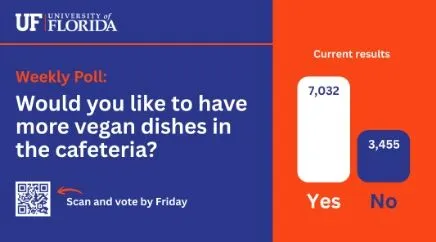
    • Interactive polling and student engagement
    • Department-level content control


  • solution list img 2

    School Digital Signage

    K-12 schools use NoviSign to communicate with students, staff, and parents across entrances, hallways, cafeterias, and classrooms.


    • Morning announcements & daily schedules
    • Cafeteria lunch menus & nutrition info
    • Emergency alerts & safety protocols
    • Student recognition & achievements
    • Google Slides integration for classroom content
  • solution list img 3

    What’s for lunch?

    NoviSign offers designed and detailed digital menu board templates customizable to any cafeteria, restaurant or dining room. Just add today’s dishes, nutritional information and prices and Bon Appetit!

    ✓ Today’s menu items
    ✓ Allergen warnings & nutrition facts
    ✓ Prices & meal plan information

How Education Digital Signage Works

  • Choose Screens & Players

    Select displays (TVs, monitors, LED screens) for your locations. Each screen connects to a NoviSign media player (small device that plugs into HDMI)

  • Create Content

    Select displays (TVs, monitors, LED screens) for your locations. Each screen connects to a NoviSign media player (small device that plugs into HDMI)

  • Schedule & Organize

    Set schedules by time, date, or location. Display breakfast menus in the morning, announcements during school hours, event promos in the afternoon

  • Publish & Manage Remotely

    Update any screen or all screens instantly from your browser or mobile device. Override scheduled content with emergency alerts when needed

Education Digital Signage FAQ

What is education digital signage?
Education digital signage is a communication platform that displays announcements, schedules, events, menus, and safety alerts on screens throughout schools, colleges, and universities. It replaces paper notices with dynamic, remotely-managed digital content.
What equipment do we need for digital signage in education?
You need displays (TVs, monitors, or LED screens), a media player for each screen, and an internet connection. Content is created and managed through a cloud-based dashboard accessible from any browser.
Can we manage multiple buildings or campuses from one system?
Yes. Education digital signage platforms allow you to control content across multiple locations from a single dashboard while giving individual departments control over their own screens.
How does scheduling work?
You can schedule content by time of day, day of week, or date range. Display breakfast menus in the morning, lunch menus at noon, and event promotions after school. Schedules can be set weeks or months in advance.
Can digital signage be used for emergency alerts?
Yes. Emergency alert capabilities let you push urgent safety notifications across all screens immediately, overriding regular content during lockdowns, severe weather, or campus emergencies.
Does NoviSign integrate with Google Slides and other tools?
Yes. NoviSign integrates with Google Slides, Canva, SharePoint, RSS feeds, and other platforms. This allows staff to create content in familiar tools and display it on screens without technical expertise.
Is training required to use education digital signage?
No. Education digital signage is designed for non-technical users like teachers, administrators, and communication staff. Simple drag-and-drop editors and pre-made templates make it easy to create and publish content.
NoviSign Digital Signage
Privacy Overview

This website uses cookies so that we can provide you with the best user experience possible. Cookie information is stored in your browser and performs functions such as recognising you when you return to our website and helping our team to understand which sections of the website you find most interesting and useful.