NoviSign External API Guide: From Studio Configuration to Player Setup
NoviSign External API Guide: From Studio Configuration to Player Setup
Overview
The NoviSign player supports integration with third-party APIs, allowing you to fetch JSON data and display it dynamically on your screens. This enables real-time content such as status boards, dashboards, order data, KPIs, and more.
API integrations can be configured:
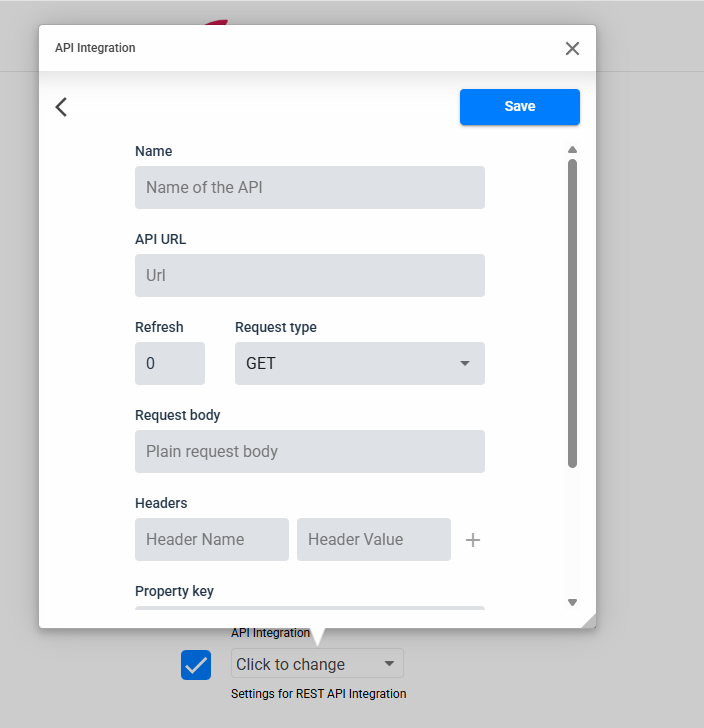
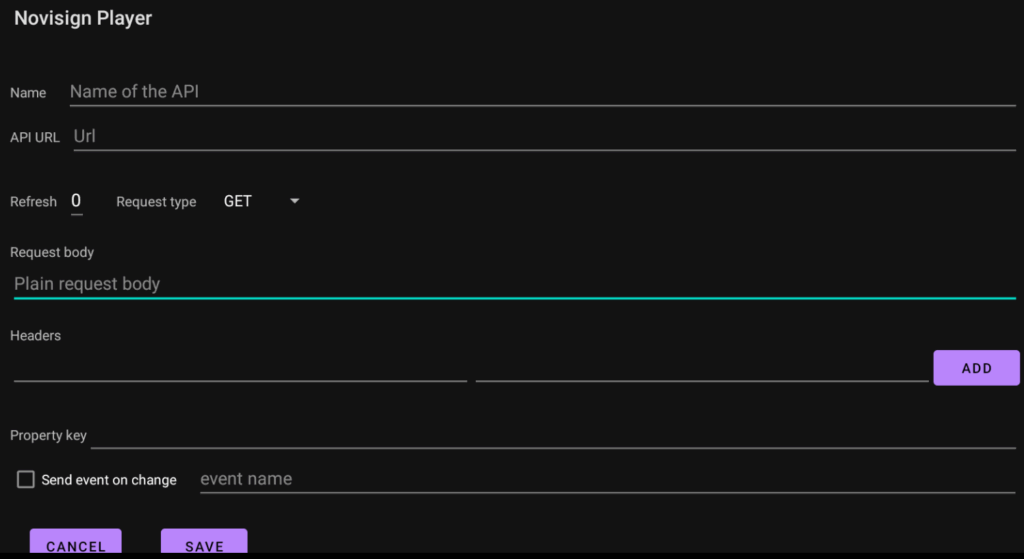
Directly on the player
From Studio using Screen Content configurations
Supported widgets
The expression syntax can currently be used with:
Text
Label
Webpage
Web Video
Web Image
Additional widget types may be supported in future releases.
Studio Configuration
Once the API connection is set up, the next step is to display that data on screen. This is done in Studio by adding variable expressions directly inside widget fields (such as Text, Label, Webpage, Web Image, and Web Video).
These expressions act as placeholders that are automatically replaced with real values from the API during playback. The player reads the JSON response returned by your endpoint, parses it, and inserts the requested value into the widget in real time.
To reference API data, a dedicated syntax format is used. This structure tells the system which API configuration to use and which JSON path to follow inside the response.
${@customapi.PROPERTY_KEY.JSON_PATH}
Element
Meaning
@customapi
Required prefix for API references
PROPERTY_KEY
The identifier you set in the API settings
JSON_PATH
The internal path inside the JSON structure you want to extract
These settings are optional and extend functionality beyond basic API usage. Use them only if your integration requires event triggers, live changes on screen, or multiple values from one data source.
Triggers a player event automatically if a value in the JSON response changes.
This can switch content, refresh a page, or trigger an action.
How to use it
Enter an event name in the field (example: RFID:1)
When any JSON value updates → the player will issue the event
Useful for:
Real-time status boards
Line/queue updates
Automated content changes
If the API returns a list or repeated structure, access values by index.