
Forgetting a password, especially when managing multiple systems, can happen to anyone.
If you’re unable to log in because you don’t remember the password linked to your NoviSign username (typically your email address), follow these steps to reset it:
-
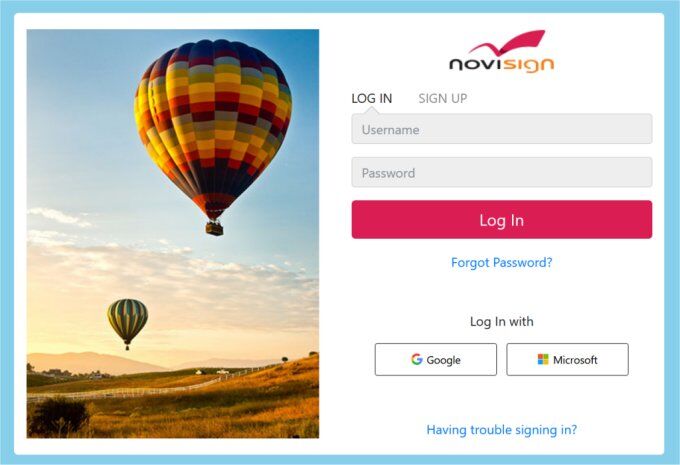
Go to the Studio CMS login page: https://app.novisign.com.
-
Click the “Forgot Password?” link.
-
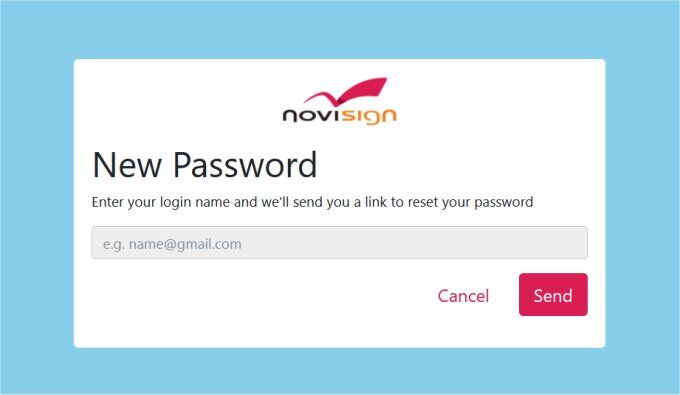
Enter your username (usually your email address) in the form provided.
-
You’ll receive an email with a link to reset your password and create a new one.
If you don’t receive the reset email or encounter any issues, please contact our support team at support@novisign.com. They’ll assist you and can reset your password promptly.
While we also offer phone support (with separate numbers for the Americas and other regions), contacting us via email is the most efficient method for password-related issues.