
Log files help our support team analyze issues that occur on the NoviSign player. Follow the steps below to generate and submit a bug report from the device.
Step 1: Stop the Running Content
Stop the currently running playlist by:
-
Right-clicking the mouse, or
-
Pressing the Back button on the remote control
Step 2: Open the Device Settings
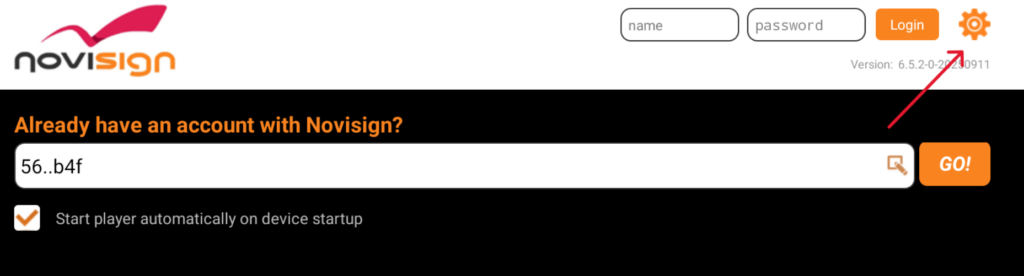
Click the gear icon in the top-right corner of the screen to open the device settings.
Step 3: Enable Debug Logging
-
Scroll down to the Logging Settings section.
-
Set Debug Log to ON.
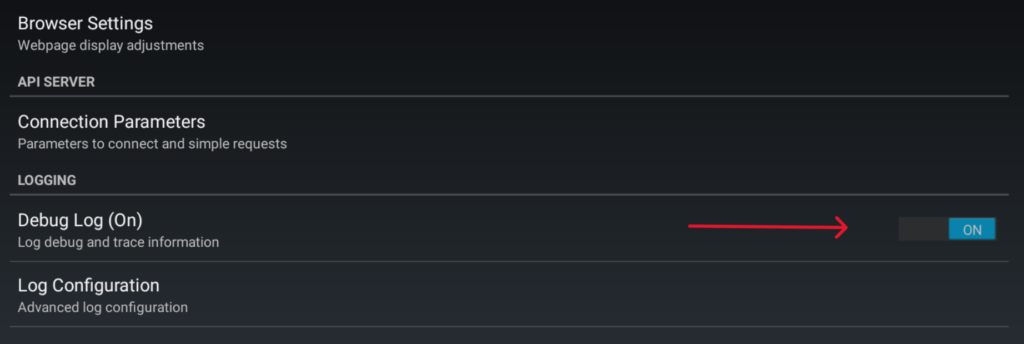
This enables more detailed log files for troubleshooting.
Step 4: Run the Content Again
-
Exit the settings by right-clicking the mouse or pressing Back on the remote.
-
Return to the main NoviSign app screen.
-
Click Go to start the playlist again.
Step 5: Reproduce the Issue
Allow the playlist to run until the problem occurs again.
Step 6: Generate the Bug Report
Connect a mouse and keyboard to the device and do the playlist:
-
Stop the playlist.
-
Open Settings.
-
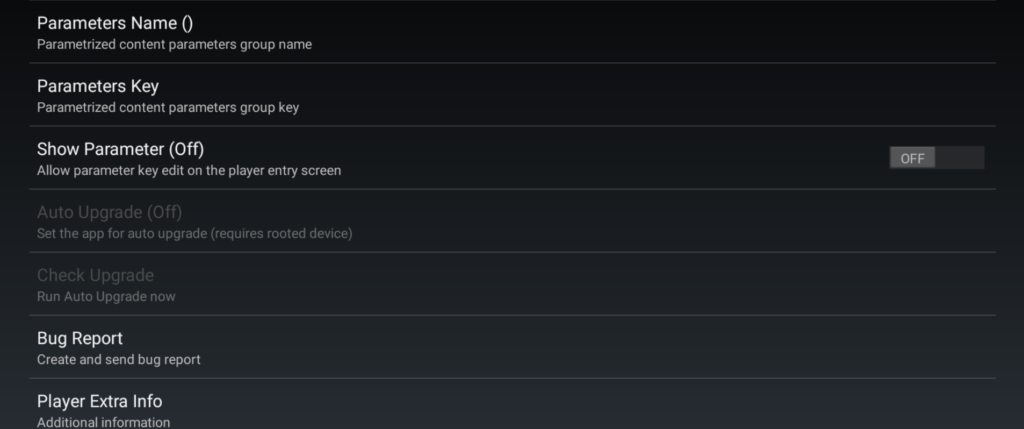
Click the Bug Report button under the Player settings section.
Step 7: Submit the Report
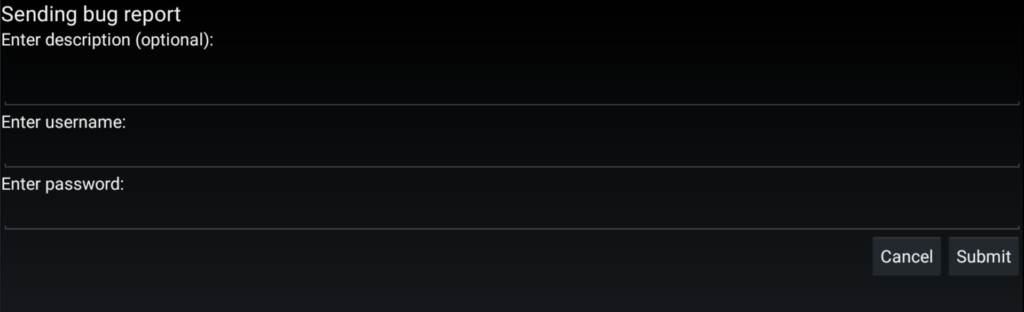
A bug report window will appear.
Fill in the following fields:
-
Description – briefly describe the issue.
-
User – your NoviSign Studio username.
-
Password – your Studio password.
Click Submit.
Step 8: Save the Log URL
After a few seconds (sometimes up to several minutes), a pop-up message will appear containing a URL to the uploaded log files.
-
Take a screenshot of this URL (you can use your smartphone if needed).
-
Send the screenshot to the NoviSign support team for analysis.