Sign up for a free evaluation account
Text Download ➞
Title Subtitle Download ➞
Digital Signage Players

Digital Signage Players for Android, Windows & Chrome

Hardware-agnostic digital signage media players – use any Android, Windows, or Chrome OS device

A digital signage player is a compact hardware device that connects to your TV or commercial display via HDMI and streams dynamic content. Think of it like a streaming stick: connect the player, install the NoviSign app, and your screen becomes a cloud-managed digital sign. NoviSign works with a wide range of digital signage media players – from budget Android boxes to enterprise-grade Windows mini PCs – so you can choose the hardware that fits your deployment and budget.

What is a Digital Signage Media Player?

A digital signage media player is a small computing device – typically running Android, Windows, or Chrome OS – that powers your digital signage display. The player receives content from cloud-based signage software, caches media locally for reliable playback, and outputs video to one or more screens over HDMI. Unlike consumer streaming devices, digital signage players are designed for 24/7 commercial operation, automatic power recovery, and remote management. Whether you’re running a single retail screen or hundreds of displays across multiple locations, the media player is the workhorse that delivers your content.

Choose Your Digital Signage Player by Operating System

NoviSign supports digital signage players across three major operating systems. Each has distinct advantages depending on your use case, budget, and IT environment.

Android Digital Signage Players

Android digital signage players are the most popular choice for cost-effective deployments. NoviSign was among the first platforms to support Android-based hardware, giving our app years of refinement and stability. Android players range from entry-level media boxes under $50 to commercial-grade units with fanless cooling and mounting options. Best for: Retail, restaurants, lobbies, small-to-medium deployments

Learn about our Android hardware recommended media players.

Windows Digital Signage Players

Windows digital signage players deliver the performance needed for 4K video, multi-zone layouts, and interactive applications. Intel NUCs, mini PCs, and embedded systems running Windows 10/11 integrate seamlessly with corporate IT infrastructure, Active Directory, and enterprise security policies.

Best for: Corporate offices, video walls, interactive kiosks, IT-managed networks.

Chrome OS Digital Signage Players

Chrome OS digital signage players – including Chromeboxes, Chromebases, and Chromebooks – offer automatic security updates and near-zero IT maintenance. Google’s enterprise management console provides centralized control, making Chrome devices ideal for education, healthcare, and distributed deployments where hands-off operation is essential. Best for: Schools, hospitals, multi-location franchises, low-maintenance deployments.

Digital Signage Media Player Features

Every NoviSign-compatible digital signage media player delivers a consistent set of capabilities – regardless of operating system.

Plug & Play

Connect to any TV or display via HDMI – no special cables or adapters

WiFi or Hardwired

Connect via WiFi or Ethernet for flexible network integration

Fast Updates

Content updates reach your player within minutes of publishing

Content Caches

Local caching ensures uninterrupted playback during network outages

Smart Play

Automatic power-on recovery – playback resumes after outages

Multi-Orientation

Landscape and portrait modes – perfect for any display orientation

Minix

Minix

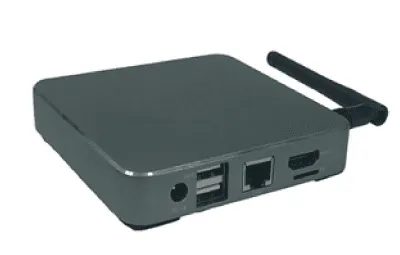
Minix endeavors to provide state-of-the-art digital signage players, passionately focusing on the design and aesthetics, never compromising on either. Minix redefines the way you interact and control your media and creates a computing experience second to none.

Learn more about Minix players

MINIX US
IAdea Taiwan
IAdea

IAdea

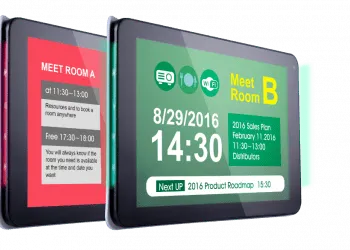
IAdea digital signage players are known for hardware reliability and to be extremely robust. Their digital signage players run on Android and feature full resolution 4K video at high-bitrates, for artifact-free crystal clear UHD video playback.

Learn more about IAdea signboards

Qbic

Qbic

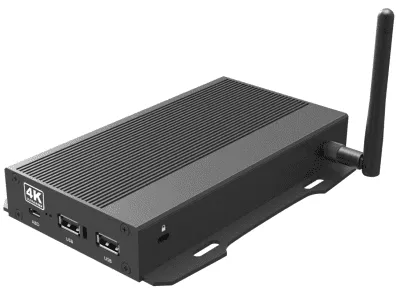
Rated for both industrial and commercial applications, Qbic offers a full line of high-end, long lasting digital signage players. From HD to ultra 4K to HDMI-IN configurations, Qbic is a fast-growing digital signage player manufacturer.

Learn more about Qbic media players

Qbic tech
Amazon digital signage
amazon

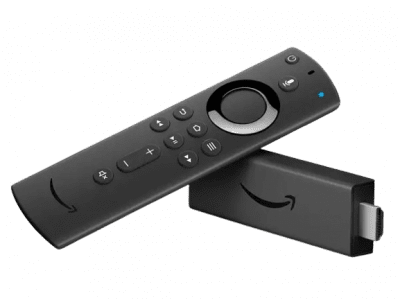
Amazon Signage Stick

Powered by NoviSign’s software, this combines the flexibility of Amazon digital signage stick with the scalability of cloud-based management tools. It allows users to create, schedule, and display customized content on various screens, from storefront displays and waiting rooms to corporate lobbies and event venues. Elevate your messaging and brand presence with Amazon Digital Signage and leave a lasting impression on your target audience.

GeniaTech Logo

GeniaTech

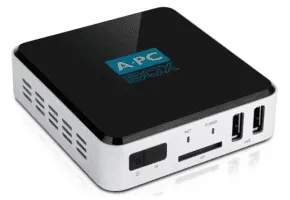
GeniaTech supports customers around the world and in doing so is considered a leader in the design, manufacture and solution support of a full range of innovative Android digital signage players. From digital TV tuners, Android/Linux based hardware and software platforms, IPTV OTT/STB solutions, digital signage solutions, hotel TV solutions, IoT solutions, smart gateways, custom applications and much more!

Learn more about Geniatech TV boxes

GeniaTech
CTLReshootc
CTLReshootc

CTL

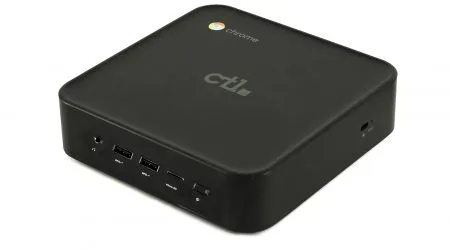
CTL doesn’t just create technology. They’re committed to advancing it to shape a better tomorrow. They’re inspired, passionate, experienced and ready to help their partners succeed. CTL is a proud Google Partner and manufacturer of Chrome-related products.

Learn more about CTL Chrome OS devices

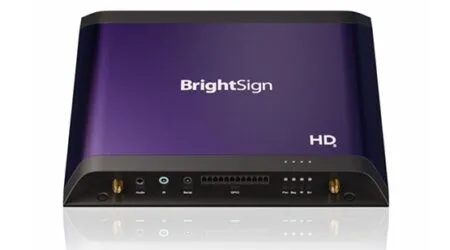
BrightSign

BrightSign

BrightSign is one of the leading robust and stable media players in the world. With long lasting reputation and variety of Linux based media player series, BrightSign has a huge market share of top class media players for any vertical.

Learn more about BrightSign Media Players

BrightSign HD media player

Digital Signage Player FAQ

  • What is a digital signage player?

    A digital signage player is a small form device (approx 4.5” x 4.5” x 1.5”) that gets connected to your display, digital sign or digital kiosk via HDMI. Installed on the digital signage player is the digital signage software. Digital signage players can either be updated via a USB stick or they can be connected to the internet to download updates from the “cloud”.

  • How does a digital signage player work?

    To download content from the internet, a digital signage player must be connected to the internet either through WiFi or hardware. The signage media player can be set to check for new updates every minute if a new update is received the old content is deleted and the new content is saved.

  • What are the most popular digital signage players?

    From a power and price standpoint Android, digital signage players are the most prevalent. This is due to the wide variety of players available online for purchase on sites like Amazon or Newegg. The second most popular form of digital signage players are Chrome OS devices. Chromebits are readily available and pricing for those come in at $90.

    The Chromebit (also called “Chromestick”) is a decent entry level player that is good for displaying menu boards, images, scrolling tickers, news feed and other forms of basic media. If you are going to be playing motion graphics and multiple videos, Chromboxes are recommended.

  • What are Android digital signage players?

    Android digital signage player also known as Android TV boxes are compact little boxes that come with the Android system loaded. For running digital signage, we recommended going with an Android digital signage player that features a Quad Core Processor, 2GB/16GB memory. Anything less in specs may generate poor media playback.
    If you are going to be buying online, make sure to read customer reviews. The main complaint we hear from customers that purchase low-cost devices is internet WiFi connectivity issues. To avoid this, we do suggest hardwiring the digital signage player to the internet.

    Here is an easy and fast setup.

  • What are Chrome OS digital signage players?

    Chrome OS digital signage players are Chromebox, Chromebase, Chromebook and Chromebit. From a performance standpoint, Chromebox comes with much stronger specs than Chromebit. 4K resolutions, fast processors, external SD memory options, connect dual monitors, dual-band WiFi and more.

  • Do I need one media player per display?

    If you want to connect one digital signage player to multiple screens, you can, using an HDMI splitter (also called “switch”). Now keep in mind, all of the screens will be displaying the same content. To display unique content per screen, you would need one digital signage player per screen.

  • Other than the digital signage player what will I need?

    You will need display and digital signage software.

  • How do I connect a digital signage player to the TV?

    Connect the player to your TV via an HDMI cable. Once connected turn the TV on and get the digital signage player connected to the internet via WiFi or Ethernet cable. If you’re using an Android player, you can then download NoviSign digital signage app from the Google Play store. If you’re using a ChromeOS device, you can download NoviSign from the Chrome Web Store.

  • Will the digital signage player still work if the internet disconnects?

    With NoviSign, all of the content saves onto the digital signage player. If the internet disconnects the content will keep playing (except YouTube and Ustream which needs to be online) everything from its cache. Once reconnected the digital signage player will download the newest updates. You will never experience a blue or black screen.

  • What type of content can be displayed on the digital signage player?

    This depends on what kind of digital signage software you using to create the content with. At NoviSign, you can display anything combination of videos, images, scrolling text. YouTube, RSS feeds, weather forecasts, slideshows, websites, announcements, polls and more!

  • Will I need a digital signage player for one time applications?

    For situations that require several days of usage, you can use a simple USB thumb drive to display your images or slideshows. You could also connect a laptop to a TV and cycle through you PowerPoint slides.