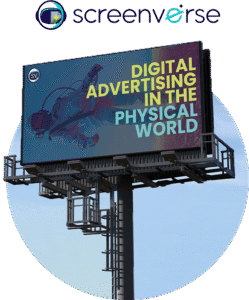
Transform Your Screen Network into a Scalable Revenue Engine with ScreenVerse
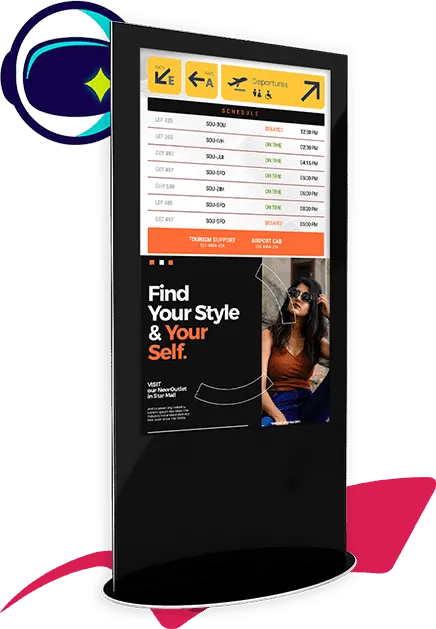
The ScreenVerse + NoviSign Ad Widget enables digital signage operators to tap into programmatic DOOH demand and turn everyday screen time into measurable advertising revenue.
Whether you manage screens in retail stores, restaurants, healthcare environments, fitness centers, campuses, corporate buildings, or transportation hubs, this integration allows you to monetize your network while preserving full control of your content strategy and brand standards.

Turn Screen Time into Revenue
Maximize the value of your display network by converting available airtime into premium DOOH inventory.
Seamless Integration Within NoviSign
The ScreenVerse Ad Widget is embedded directly inside NoviSign Studio, making activation simple and deployment fast — no additional systems required.
Intelligent Campaign Targeting
Serve ads based on location, venue type, scheduling rules, and audience characteristics to increase relevance and optimize yield.
Total Control Over Content & Categories
Define where ads appear, choose approved categories, restrict competitors, and blend advertising smoothly with your own branded content.
Clear Performance Visibility
Access centralized reporting for impressions, fill rates, playback metrics, and revenue tracking across your entire digital signage footprint.
How It Works:
Step 1: Enable the ScreenVerse Ad Widget
Activate the integration directly from your NoviSign account settings.
Step 2: Define Screen Zones & Playback Rules
Select specific areas on your layouts for ads and set timing parameters.
Step 3: Apply Targeting Filters
Use geographic and daypart targeting to improve campaign performance and inventory value.
Step 4: Automated Ad Serving
ScreenVerse dynamically delivers programmatic DOOH campaigns based on available inventory and targeting criteria.
Step 5: Monitor & Optimize
Review performance data to adjust scheduling and maximize monetization potential.
Common Deployment Environments
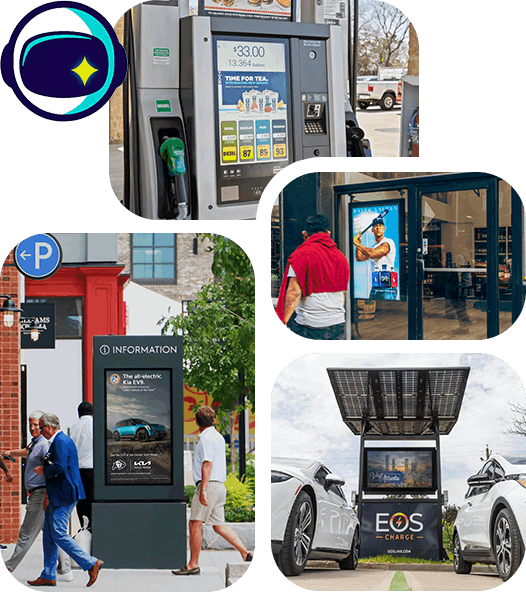
- Retail Locations
Enhance in-store displays with brand-funded advertising while maintaining promotional messaging. - Quick-Service Restaurants
Generate additional income from menu boards and queue screens without affecting customer experience. - Fitness Facilities
Deliver relevant lifestyle campaigns to a highly engaged, health-conscious audience. - Corporate & Commercial Spaces
Monetize lobby and shared-area screens with premium advertiser demand. - Transit & Public Spaces
Leverage high-traffic environments to attract national and regional brand campaigns.
Why Choose ScreenVerse + NoviSign
- Built for digital signage operators and venue owners
- Access to scalable programmatic DOOH demand
- Designed for distributed, multi-location networks
- Enterprise-grade scalability and reliability
- Advanced approval controls and brand safety tools
- Unified platform for content, advertising, and analytics
This solution is engineered specifically for organizations that want predictable advertising income while maintaining complete oversight of screen content and audience experience.
Start Monetizing Today
Elevate your digital signage strategy by adding programmatic DOOH monetization to your network.
Enable the ScreenVerse Ad Widget inside NoviSign and begin generating advertising revenue from your screens with speed and simplicity.
Sign up for a free evaluation account
NoviSign supports Windows, Android and Chrome OS. You can start using it RIGHT NOW and switch to production at any time.