
 Ilan Melchior, Marketing Manager
TL;DR
- One dashboard, every screen. Campus digital signage puts announcements, schedules, maps, and emergency alerts on screens you run from one place.
- Change it once, it’s everywhere. A message update reaches every relevant screen at the same time, instead of reprinting flyers building by building.
- Built for the worst moments too. In an emergency, screens drop whatever they’re showing and switch to a full-screen alert across the whole campus.
- Fast, low-cost start. Start with a TV you already own, a small media player, and a cloud CMS — usually live in well under an hour.
Picture an ordinary week. A class gets moved an hour before it starts, and the only people who know are whoever happened to catch the email. A storm builds during finals. A parent wanders the quad looking for the admissions office. The usual fix is some mix of another printed flyer, another all-student email, and someone walking a stack of posters from one building to the next.
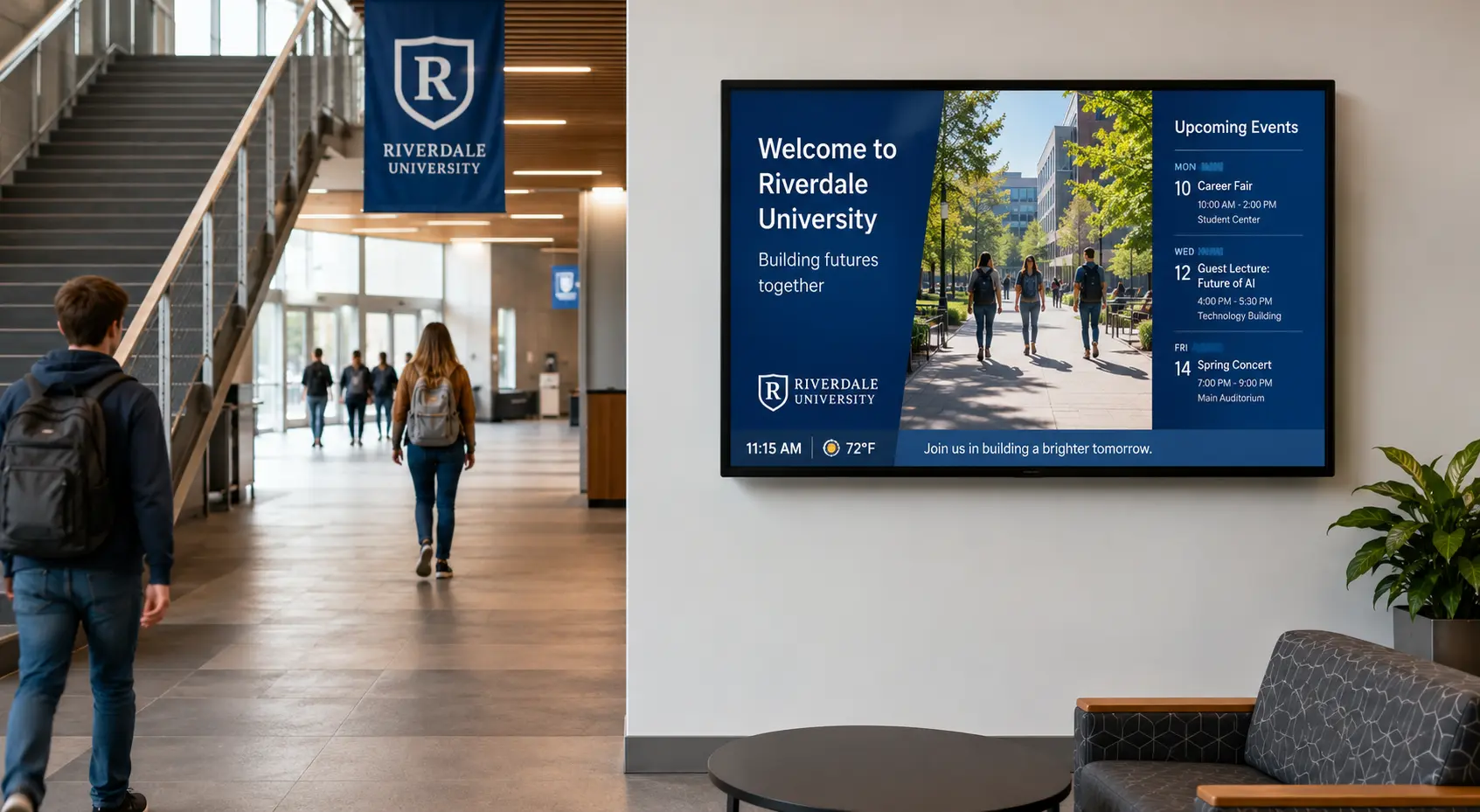
Campus digital signage takes that scramble off your plate. It’s a network of screens you run from one place, showing announcements, class schedules, maps, and emergency alerts wherever people gather. You change a message once and it lands on every screen you pick, at the same moment — no reprinting, no re-posting, no walking the halls.
What Is Campus Digital Signage?
Campus digital signage is a set of internet-connected screens, run from a single cloud dashboard, that show information across a college, university, or school. You publish content once, choose which screens it goes to, and it appears. That’s the whole idea.
The screens go wherever people gather or pass through: hallways and lobbies, the student union, the library, dining halls, residence halls, athletics venues, parking structures, department offices, outdoor entrances. A single screen can show a few things at once — a class schedule in one zone, a news ticker along the bottom, the weather in the corner. You arrange those zones on a template.
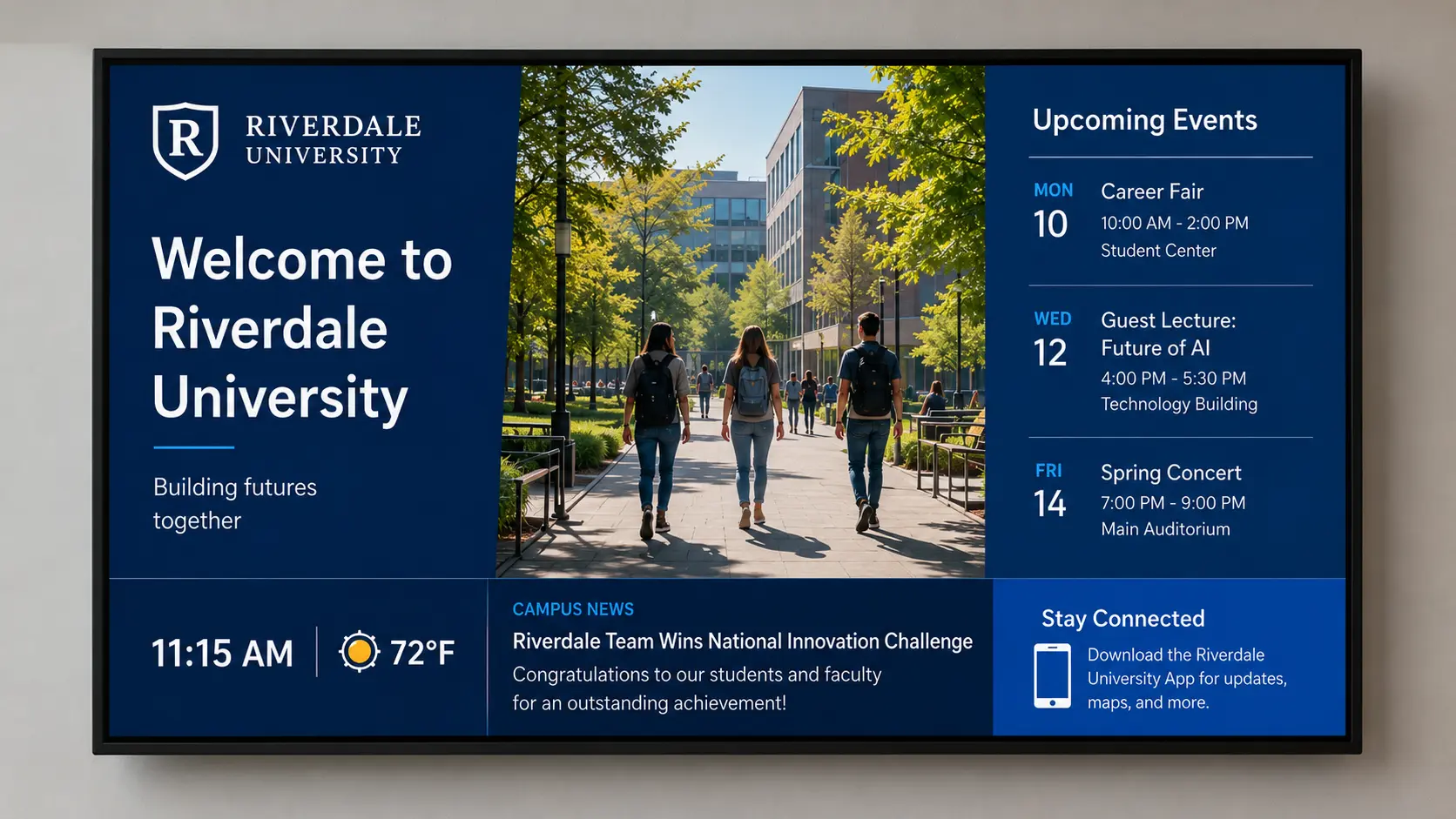
And because it all runs in the cloud, one person can manage every screen from a browser. The IT office, the front desk, or the kitchen table at home — it doesn’t matter where they’re sitting.
“One of the big advantages we see with campus deployments is that you don’t need a large team managing the screens,” says Chad Bogan, Director of Sales at NoviSign. “Across our education customers, a single administrator typically manages around 11 screens, and in some of our larger deployments we’ve seen one person responsible for more than 50 screens.”
What Are the Benefits of Digital Signage on Campus?
The value shows up in five places:
- Everyday communication — change a message once and it reaches every relevant screen at the same time, no reprinting.
- Emergencies — screens interrupt whatever they’re showing to push a full-screen alert across the whole campus at once.
- Wayfinding — maps, directories, and interactive kiosks help visitors and new students find a room without asking anyone.
- Recognition — digital honor walls and result boards celebrate students and staff and build school spirit.
- Community relations — public-facing screens promote events and keep alumni and neighbors connected to campus.
Here’s what each looks like, with the question facilities, IT, and communications teams usually ask before signing off.
One Update, Every Screen
This is the part most campuses adopt signage for in the first place. When a class moves, an event gets added, or a deadline shifts, you change the message once and it reaches every relevant screen at the same time. Nobody walks the halls swapping posters.
You can also target content by building or audience. The science building shows lab schedules and safety notices. The student union runs club events and dining hours. Residence halls post move-in details and quiet-hours reminders. Each screen pulls from a central playlist, so the right people see the right message and you never reprint a thing.
Can It Send Emergency Alerts?
Yes — and for a lot of campuses this is the single biggest reason to put screens up at all. When something happens, your screens interrupt whatever they’re showing and switch to a full-screen alert across the whole campus: a lockdown notice, a severe-weather warning, evacuation instructions.
It reaches people who aren’t looking at their phones — students mid-lecture, visitors in a lobby, staff on a break. A large screen in a shared space adds a visible layer on top of the texts and emails you’re already sending.
Many systems also tie into mass-notification platforms and the Common Alerting Protocol (CAP), the open standard for pushing one alert across several channels at once. Set that up and a single trigger can update every screen, fire off a text, and sound an alarm together. Some campuses use the same screens to display evacuation routes and assembly points.
Helping People Find Their Way
New students, parents, and event guests can find a room without stopping to ask anyone. Screens show campus maps, building directories, and event locations, and interactive kiosks let someone search for a department and see the route to it.
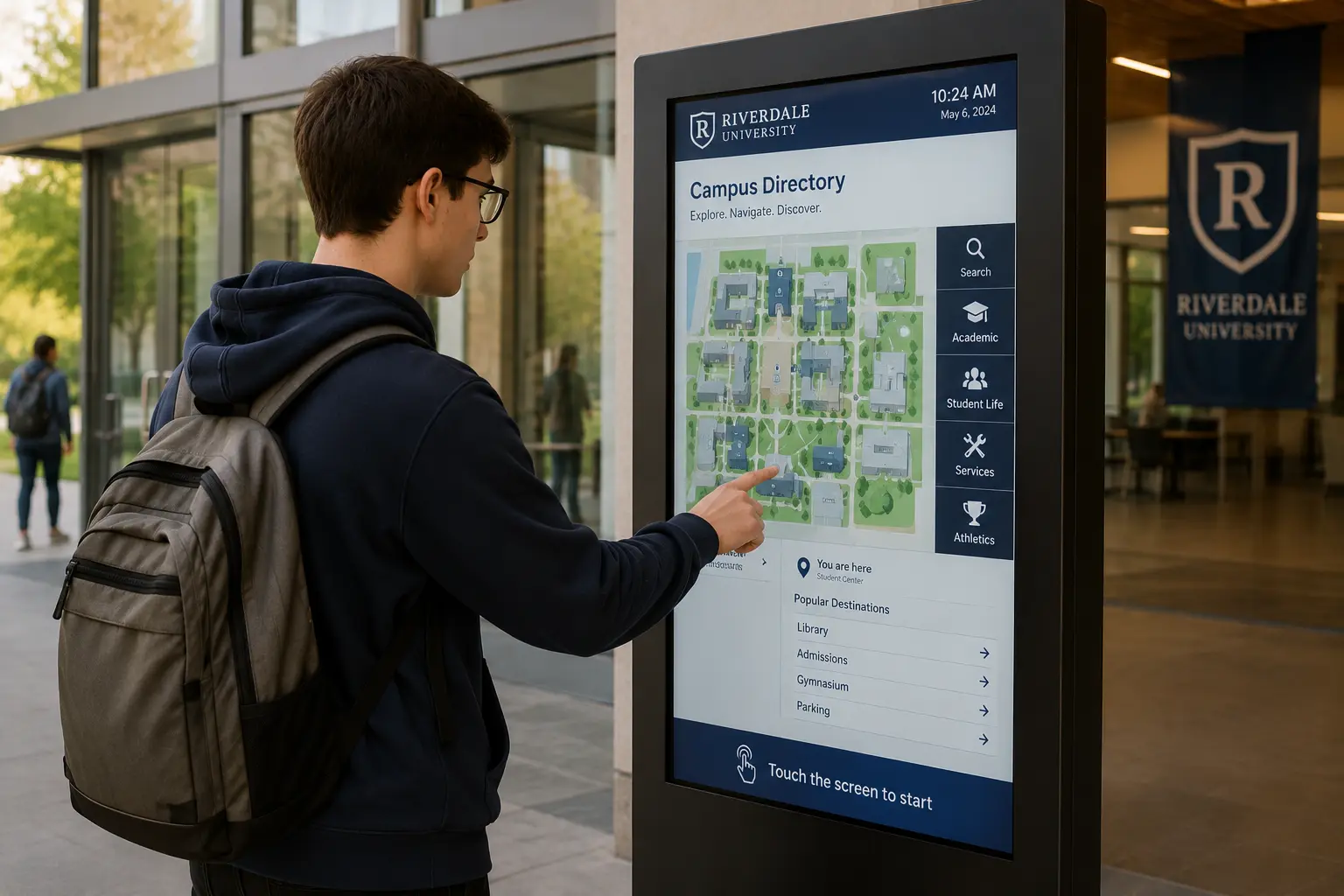
That cuts down on people lining up at front desks and security points just to ask for directions, which hands staff their time back. It earns its keep on the busy days especially: orientation, open houses, graduation, game days, when the campus fills with people who’ve never set foot on it before.
Recognizing Students and Staff
Screens give you an easy way to celebrate people. Digital honor walls, achievement boards, and athletics-result displays can spotlight the dean’s list, scholarship winners, a championship team, or a staff member who went above and beyond — and you update them the moment new results come in.
It’s good for morale and school spirit, and it earns goodwill with alumni and donors who see their names and gifts acknowledged. Because it’s all digital, one wall-of-fame screen can rotate through dozens of honorees instead of being frozen on a single engraved plaque.
Reaching the Wider Community
Signage doesn’t have to stop at students and staff. Screens at entrances, parking structures, and public-facing buildings can promote public lectures, alumni events, fundraising drives, and anything else that’s open to neighbors and visitors.
That keeps the surrounding community in the loop and gives people a reason to come onto campus. For alumni, screens featuring reunions, giving campaigns, and donor recognition help keep the relationship warm long after graduation. The same network you built for internal messaging quietly doubles as an outward-facing one, with no extra hardware.
What Content Can You Show on Campus Screens?
Once the screens are up, what goes on them? Most campuses land on a mix of practical information and content that keeps people glancing up. Common picks include:
- Event calendars and campus announcements
- Class and exam schedules
- Cafeteria menus, nutrition information included
- Live news and weather pulled in over an RSS feed
- Social feeds from official campus accounts
- Welcome messages for visitors and new students
- On-screen polls and voting
- Student-run channels and club content
- Video — highlight reels, recorded lectures, and the like
One rule of thumb: pair a static zone or two — your logo and a schedule, say — with a live zone like a news ticker or the weather. That way the screen still looks current even on a day nobody has touched it.
“The best campus screens usually have a mix of information that changes regularly and content that’s always useful,” says Roey Ohana, Product Lead at NoviSign. “Across our education customers, Campus Events and New Programs are two of the most commonly used types of content alongside general campus announcements.”
What Do You Need to Set Up Campus Digital Signage?
You need four things, and there’s a good chance you already own the first.
- A screen. Any commercial display or TV you’ve got will work. Bigger campuses often standardize on commercial-grade displays because they’re built to run all day, every day.
- A media player or built-in operating system. Either a small player plugs into the screen, or the display has an OS built in — Android, ChromeOS, Windows, Samsung Tizen, LG webOS, or the Amazon Signage Stick.
- A cloud content management system (CMS). This is the software where you design, schedule, and publish content to every screen from one place. “Cloud” just means you open it in a browser, with nothing to install on a server.
- A network connection. Each screen needs Wi-Fi or a wired connection to pull updates.
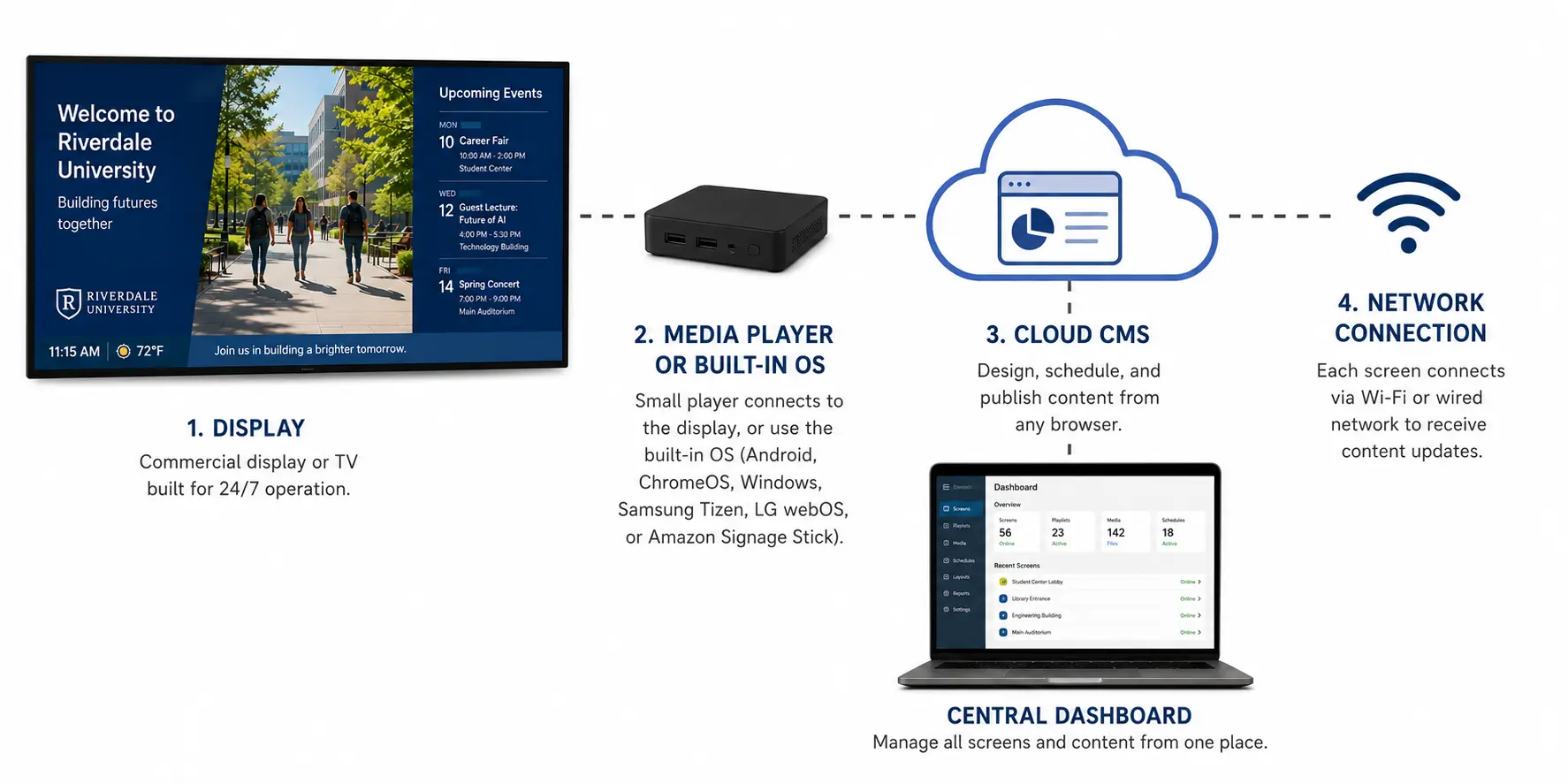
NoviSign runs on any of those screens and lives in the browser, so most campuses get their first screen live in under 15 minutes — no design or IT background needed.
How Much Does Campus Digital Signage Cost?
There are two layers: a one-time hardware cost and an ongoing software subscription.
Hardware is the part you buy once — the screen, plus a media player if the display doesn’t have its own OS. Reuse TVs you already have and this can land close to zero.
Software is a subscription, usually billed per screen per month, for the cloud CMS that runs and updates everything. The per-screen price tends to drop as you add screens, and plenty of vendors offer education pricing for schools, colleges, and districts — so it’s worth asking outright.
Because the two are separate, you can start with a handful of screens and existing TVs, then scale across campus as the budget allows.
Campus Digital Signage in Action: University of Florida
At the University of Florida, IT manager Chad Holder inherited a mess: Xibo plus, in his words, “15 other flavors” of software running on screens all over campus. Keeping that many systems straight was slow, and the screens never looked consistent.
His team moved all of it onto NoviSign, picking it for the simple, intuitive interface. Running one platform instead of sixteen made the screens easier to manage and the content far more consistent from building to building.
It’s a familiar campus story: signage grows one building at a time until nobody can manage it from a single place. For more, see our case studies.
Getting Started With Campus Digital Signage
Starting is easier than most teams expect. Pick one high-traffic spot — a main lobby, the student union — connect a screen you already own, and publish your first message from the browser. Once that one is running, adding the next is mostly copy-and-go. You can try it with NoviSign’s 30-day free trial.
Key Takeaways
- Treat the whole campus as one network: segment content by building or audience from a single browser.
- Emergency alerting is the strongest case — choose a CMS that ties into mass-notification and CAP systems.
- Reuse existing TVs and ask about education pricing to keep hardware costs low.
- Most first screens are live in under 15 minutes, with no design or IT skills needed.
- Wayfinding and recognition screens cut front-desk questions and lift campus morale.
FAQs
What is campus digital signage?
It’s a network of screens, managed from one cloud dashboard, that shows announcements, schedules, wayfinding, and emergency alerts across a college, university, or school. You’ll find the screens in hallways, lobbies, student unions, libraries, dining halls, residence halls, and at outdoor entrances.
How much does campus digital signage cost?
There are two costs: one-time hardware (a screen, plus a media player if needed) and an ongoing software subscription billed per screen per month. Existing TVs can usually be reused to lower the hardware bill, and many vendors offer education pricing — so ask about school and district rates.
What hardware do schools and campuses need?
Four things: a screen or commercial display, a media player or built-in operating system, a cloud content management system (CMS) to design and schedule content, and a Wi-Fi or wired network connection so each screen can receive updates.
Can campus digital signage display emergency alerts?
Yes. Campus screens can switch to full-screen alerts for lockdowns, severe weather, and evacuations, interrupting normal content across the whole campus at once. Many systems integrate with mass-notification platforms and the Common Alerting Protocol (CAP), so one trigger updates every screen at the same time.
Can campus digital signage run on screens or TVs we already own?
Yes. NoviSign runs on screens you already own through Android, ChromeOS, Windows, Samsung Tizen, or LG webOS, using either a built-in operating system or a small media player. Reusing existing TVs is a common way for campuses to keep hardware costs down.
Is campus digital signage hard to manage across a large campus?
No. A cloud content management system (CMS) lets one person update every screen from a browser and schedule content by building or audience. You publish once and the right message reaches the right screens, without anyone visiting each location.
About The Author: Ilan Melchior
More posts by Ilan Melchior