
 Ilan Melchior, Marketing Manager
TL;DR
- Patients who get lost may arrive late, and a late arrival can become a missed appointment.
- At one UK hospital, local data showed that 80% of help-desk questions were about finding the way; the trial did not prove that wayfinding alone reduced missed appointments.
- Digital screens at decision points can be updated centrally when clinic names or routes change.
- Printed signs stay as the base layer. Digital signage is the layer that changes.
Hospital wayfinding signage combines physical signs and digital screens to guide people from arrival to the right room. It includes permanent signs plus digital signage for directories, maps, and routes. Navigation problems can delay patients; if a clinic has a cutoff, that delay may become a missed slot. This article explains where digital signage helps and where signs and staff remain essential.
What Is Hospital Wayfinding Signage?
Hospital wayfinding signage helps people find locations across a hospital or campus. Identification signs name places, directional signs point the way, informational signs explain services or check-in, and regulatory signs state rules. Examples include “Radiology,” an arrow to “Outpatients, Level 2,” visiting hours, and “Staff only.”
Hospitals use permanent signs for stable information and digital screens for changing directories, maps, queues, and alerts. This article focuses on wayfinding digital signage; wayfinding is one use of digital signage for healthcare facilities, alongside check-in information, waiting-room updates, queue notices, and emergency alerts.
How Can Wayfinding Problems Contribute to Missed Appointments?
Getting lost can delay arrival, which may become a missed slot if the clinic has a cutoff. UHL’s pre-trial research identified difficulty finding the right room as one attendance barrier, not the only cause.
During its August 2024–March 2025 pilot, University Hospitals of Leicester NHS Trust (UHL) reported that 80% of help-desk questions concerned wayfinding. A 2021 Journal of mHealth article cited Deloitte estimates that over 85% of visitors ask for directions in health facilities and 30% of first-time visitors get lost. Without the original study or year, these are background figures, not current benchmarks.
Using five minutes per request and kiosk visits as a proxy, UHL estimated more than 40 staff hours could be freed in a week. This was modeled, not measured.
| What happens | What it costs the hospital |
|---|---|
| A first-time patient parks at the wrong entrance | Possible late arrival; the slot may run over or be missed |
| A department moved and the printed sign still points to the old floor | Possible delay; staff may redirect visitors repeatedly |
| If one direction request takes five minutes | Repeated requests can consume many staff hours |
| A visitor cannot read the sign (language, eyesight, stress) | The visitor may need help to complete the route |
How Can Digital Signage Help Reduce Missed Appointments?
Digital signage can help at four points along the route when it is coordinated with the hospital’s wider wayfinding system.
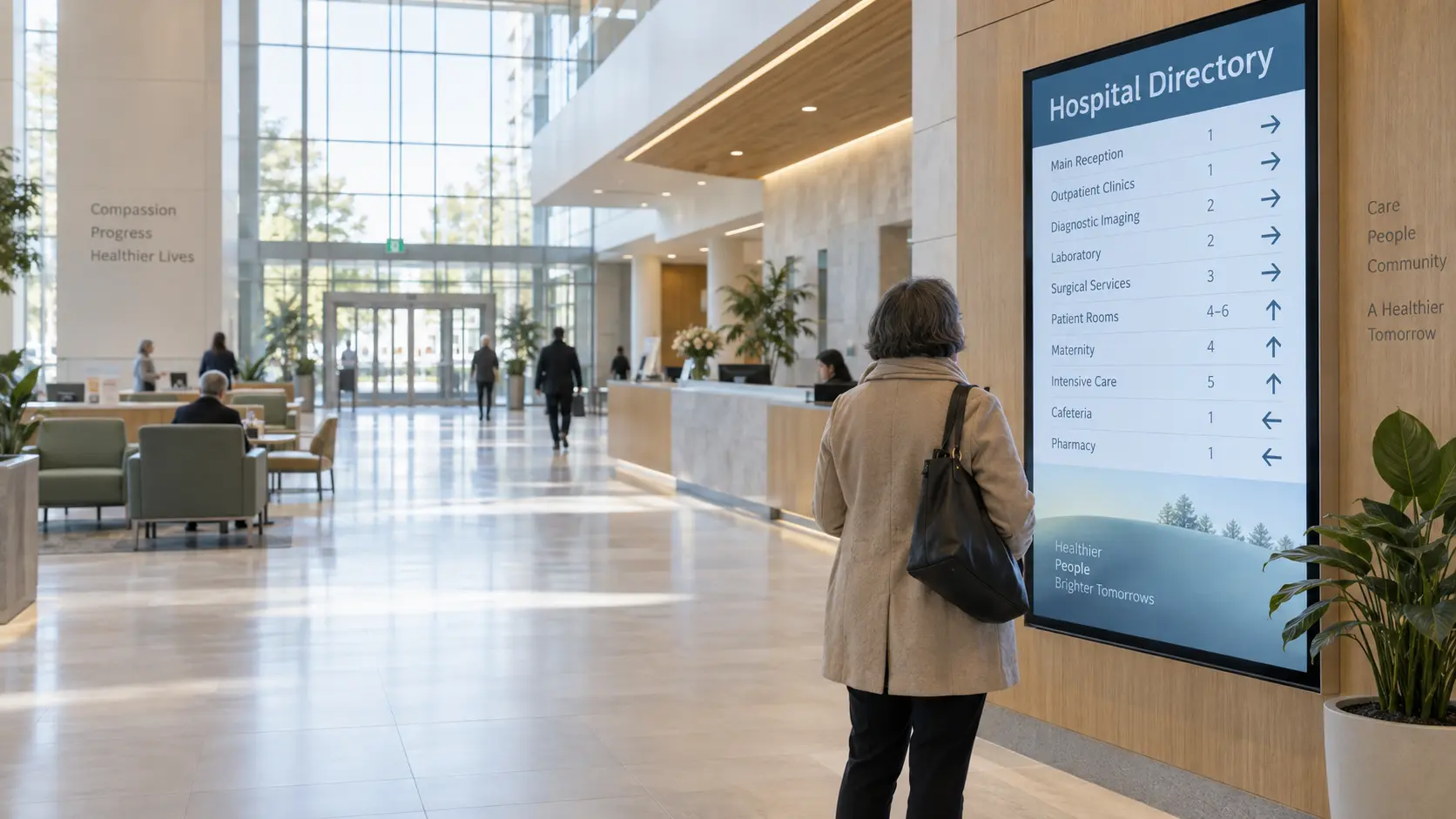
Digital Directories at Entrances and Elevator Banks
A digital directory lists each department’s floor, wing, and next turn. Central management lets a hospital update connected screens after a clinic move without reprinting panels. Matching names across every channel reduces confusion.
Interactive Wayfinding Kiosks
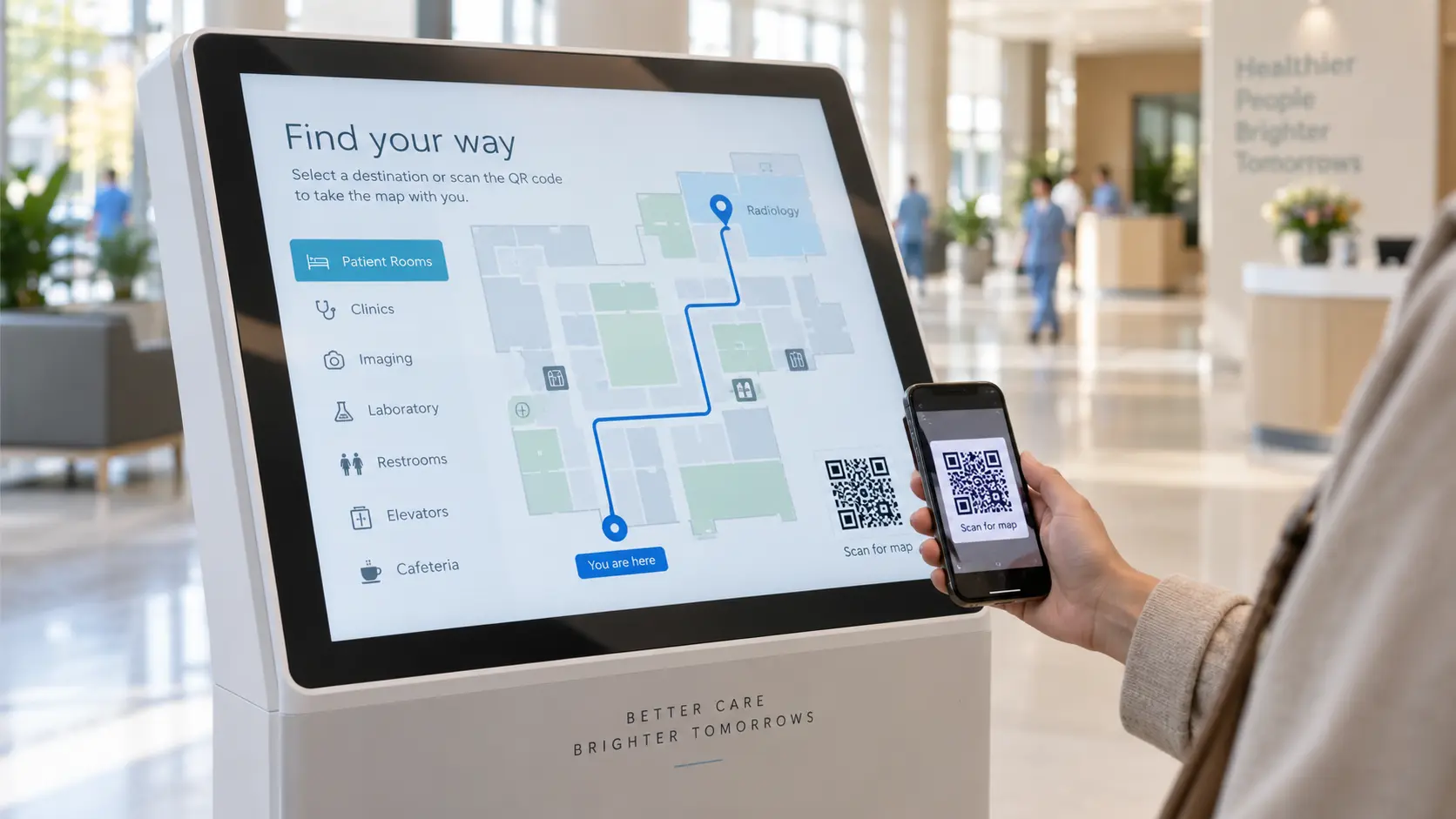
An interactive kiosk provides directions to a chosen destination. Some use a quick response (QR) code to transfer the route to a phone. In the UHL pilot, four kiosks were used nearly 1,400 times in December 2024 and January 2025.
In the pilot, “other” missed appointments fell from 141 to 114 between October and November 2024, about 19%, a £4,320 saving. UHL did not track wayfinding as a did-not-attend (DNA) reason, so it could not attribute the change to the pilot. The £672,000 annual estimate assumed a 5% DNA reduction plus staff-time savings; it was a target, not an observed saving (NHS England, 2025).
NoviSign’s Touch widget works on Android and Windows players. NoviSign supplies the software; a hardware partner supplies the kiosk.
Directional Screens at Decision Points
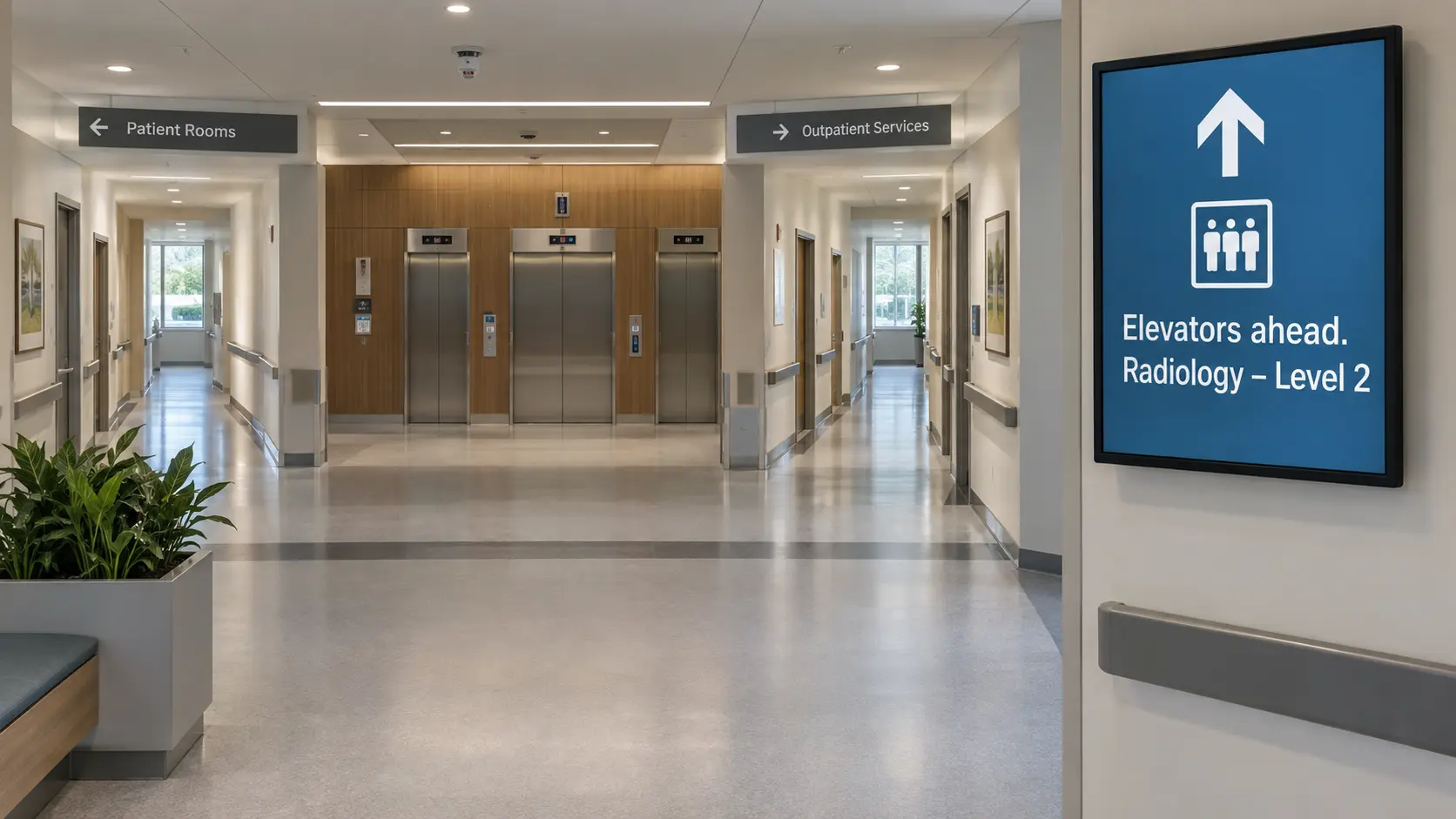
A decision point is where a route branches. Confirm the next step with text, an arrow, a landmark, and color that is not the only cue: “Elevators ahead. Radiology is on Level 2.” Place screens where people make decisions, not wherever wall space is available.
Waiting-Area and Check-In Screens
At check-in, a screen can show queue numbers, delays, and the next room. This may answer common questions before the patient asks at reception.
Digital Signage vs. Printed Signs vs. Wayfinding Apps
Printed signs provide the permanent base layer. Apps can provide personalized directions to people who install them. Digital signs provide shared information at the point of need without requiring a download.
| Option | Change a route or name | Reaches visitors without an app | Best for |
|---|---|---|---|
| Printed signs | Requires a new panel and installation | Yes | Permanent identification (room numbers, wings, exits) |
| Wayfinding app | Updated through the app’s admin system | No; needs a download and a charged phone | Mobile-app users on a large campus |
| Digital signage | Remote update; timing depends on platform and connection | Yes | Shared directories, kiosks, and route information that changes |
What is the best wayfinding app for hospitals? No single app fits every hospital. Compare integrations, indoor positioning, accessibility, network coverage, maintenance, and likely adoption. A hospital may combine apps and screens.
Hospital Wayfinding Signage Best Practices
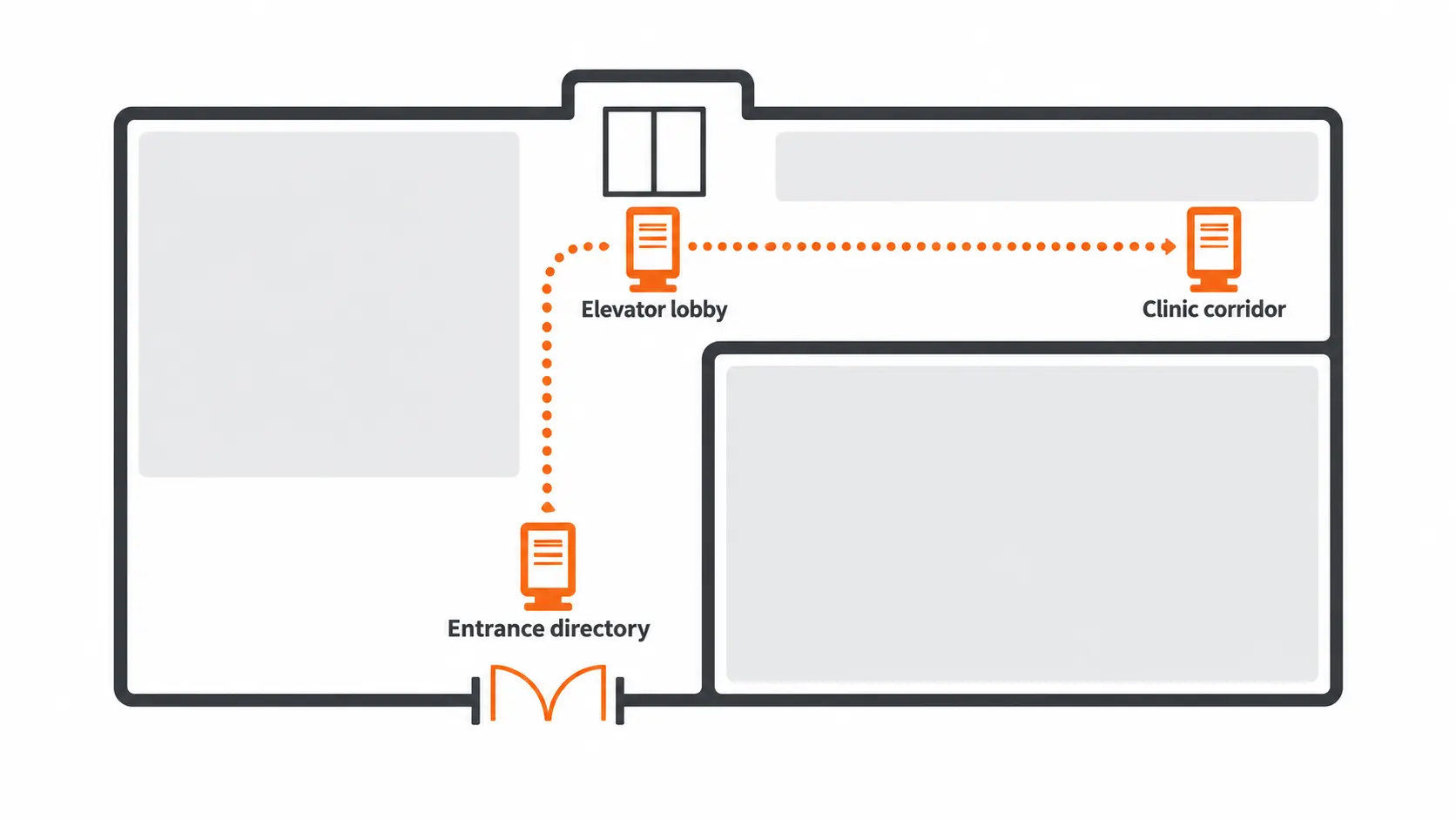
- Put screens at entrances, elevator lobbies, and corridor splits, where visitors make route decisions.
- Give each screen one job; news and ads make a directory harder to scan.
- Use the same department names on screens, appointment letters, and permanent signs.
- Use large type, high contrast, plain words, and cues beyond color. Check glare and seated sightlines, and offer a non-touch option. The UK Department of Health’s wayfinding guidance recommends high contrast, a matt finish, good lighting, and consistent placement. Adapt this general guidance to local requirements.
- Offer the main languages your patients speak. The UHL pilot supported 13 languages on its app and kiosks.
- Confirm each stage: “You are here. Next: Radiology, 2nd floor.”
- Measure direction requests, late arrivals, and DNA rates, and record other changes before attributing an improvement to wayfinding.
Digital signage does not replace a clear layout, permanent signs, accessibility planning, or staff help. Test routes with people who use wheelchairs, have low vision, or prefer another language. Use screens where information changes or visitors need confirmation.
How to Set Up Digital Wayfinding Signage in a Hospital
- Walk from each entrance to busy clinics and map where people stop or ask for help.
- Choose a screen type for each point: a directory, a kiosk, or a route screen.
- Reuse compatible displays where possible. Add partner-supplied kiosk hardware only where touch is needed.
- Install a supported player app on each display or media player.
- Build directory and kiosk content in the content management system (CMS), where you create and schedule screen content.
- Connect supported data and alerts, and define offline fallback content.
- Manage the screen network from one dashboard.
- Test network coverage and routes, then review the directory against the current department list.
What This Looks Like with NoviSign
NoviSign runs on compatible displays and media players. Android is the most feature-rich recommended player; Touch also works on Windows. Build content in the Creative Composer. The Embed widget can show web maps, which need internet; cached content plays offline. Alert integrations include Alertus, Everbridge, RAVE, and OmniAlert.
“When discussing emergency alerts with hospitals, a key question is how screens can work with the notification system they already use. We recommend identifying that system early, so the signage deployment fits into the hospital’s existing emergency communication process,” says Roey Ohana, Product Lead at NoviSign.
One dashboard can manage multiple locations. In an official case study, Appalachian Regional Healthcare describes using NoviSign across 14 hospitals and clinics.
How Much Does Hospital Wayfinding Signage Cost?
Printed sign systems require production and installation, with new costs when a route changes. Kiosks add partner-supplied hardware. NoviSign software starts at $20 per screen per month, including all features, support, and training. Its 30-day trial requires no credit card; NoviSign lists no setup fees or required contracts.
UHL estimated £160 to rearrange one missed appointment. This local planning figure is not a universal cost or a direct return-on-investment claim. Calculate payback with the hospital’s own hardware, deployment, maintenance, staff-time, and missed-appointment data.
Key Takeaways
- Update routes centrally when clinics move.
- Place screens at entrances, elevator lobbies, and corridor splits.
- Match department names across screens, letters, and permanent signs.
- Use apps for personalized guidance and screens for shared guidance.
- Measure direction requests, late arrivals, and DNA rates; record other changes.
Frequently Asked Questions
What is wayfinding in a hospital?
Hospital wayfinding helps patients, visitors, and staff find the right room. It combines building layout, signs, digital directories, appointment information, and staff help. Accessible wayfinding can reduce navigation delays and uncertainty.
What are the four types of wayfinding signage?
Identification signs name places; directional signs point the way; informational signs explain services; and regulatory signs state rules. Digital screens suit content that changes.
Do hospitals need a wayfinding app if they have digital signage?
Not always. Apps provide personalized directions; digital signs provide shared directions without a download. Hospitals can use both, and some kiosks transfer routes to phones through QR codes.
Can digital wayfinding signage help reduce missed appointments?
It can reduce navigation uncertainty. In the UHL pilot, “other” missed appointments fell 19% from October to November 2024, but the trust could not attribute the change to wayfinding alone.
Start with One Directory Screen
Hospital wayfinding is an operational problem, not only a sign-design problem. Permanent signs remain essential. Digital screens are the layer for routes, clinic names, queues, and alerts that change. To test the idea, start a 30-day free NoviSign trial and build a first directory screen on a compatible TV or commercial display.
“I recommend starting with a directory screen at the main entrance. It gives patients a clear first step: find their department, identify the correct floor or wing, and understand where to go next. Walk that route yourself before deciding where additional screens are needed,” says Chad Bogan, Director of Sales at NoviSign.
About The Author: Ilan Melchior
More posts by Ilan Melchior